WHOLIQ
A warehouse management system. From order import to picking, inspection and shipping data.
One system manages the whole flow: importing order and stock data, stock allocation, picking and inspection on handheld terminals, and delivery data output. It can be reconfigured to fit each site, so it adapts to many kinds of operations. It has been running in a real warehouse for five years.
Workflow
Starting from imported orders, it allocates stock, then picks and inspects, and finally outputs delivery data. Shortages are recorded as they occur.
- Order and stock import
- Order review and edit
- Stock allocation
- Picking
- Inspection
- Delivery data output
Whether the inspection step is used can be chosen for each work category.
Main features
Link to SYNQUARA
It connects to the SYNQUARA sales management system through an API. Orders in SYNQUARA are imported into WHOLIQ, and picking results go back to SYNQUARA as shipment and receipt results. From order to shipment, inventory and invoicing, the flow has no gaps.
Data import
Imports order and stock data from CSV or ZIP files. It supports each customer's data format and can also link to core systems through an API.
Order review and edit
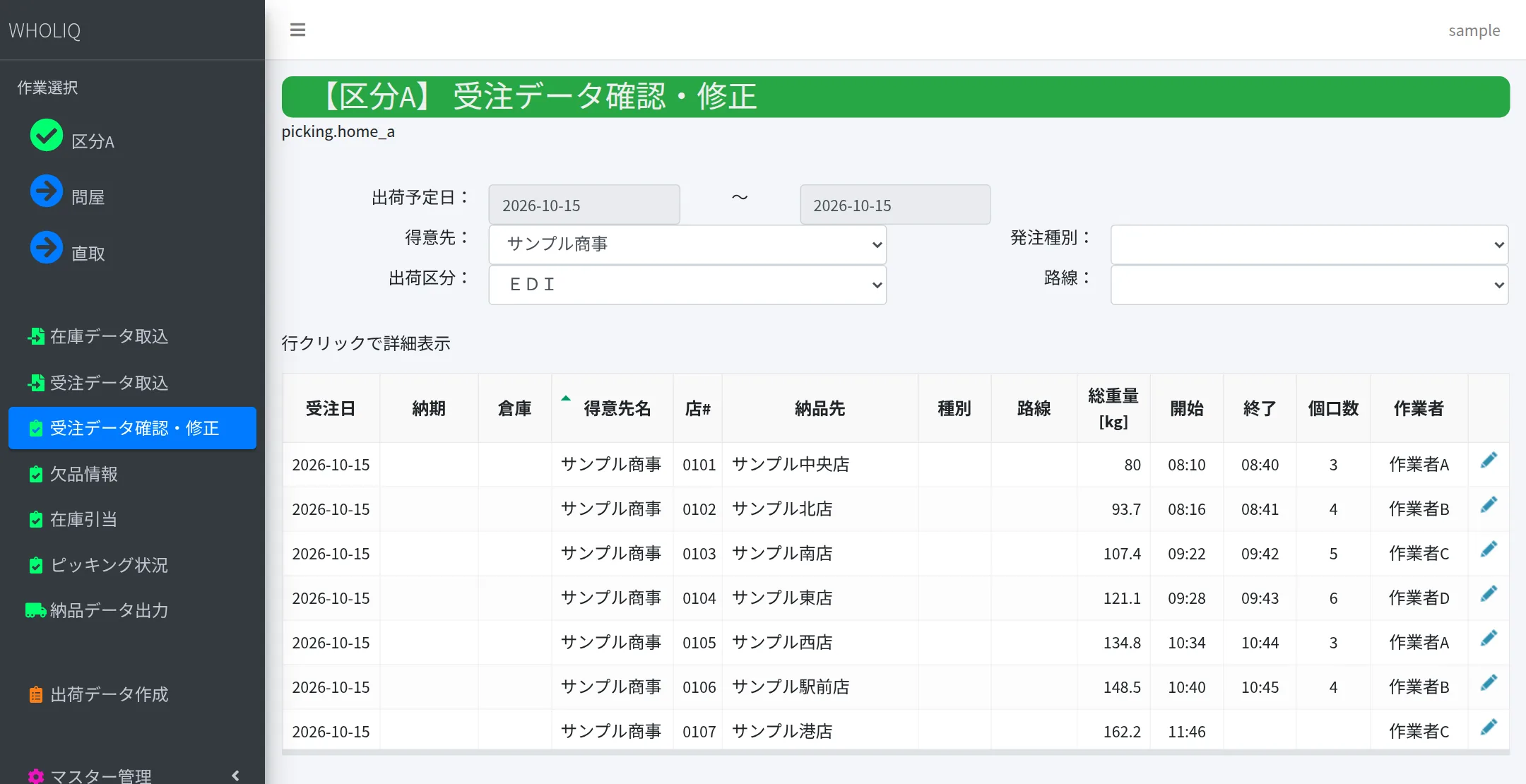
Filter imported orders by planned shipping date or customer, and open each line to check or correct the details.
Stock allocation
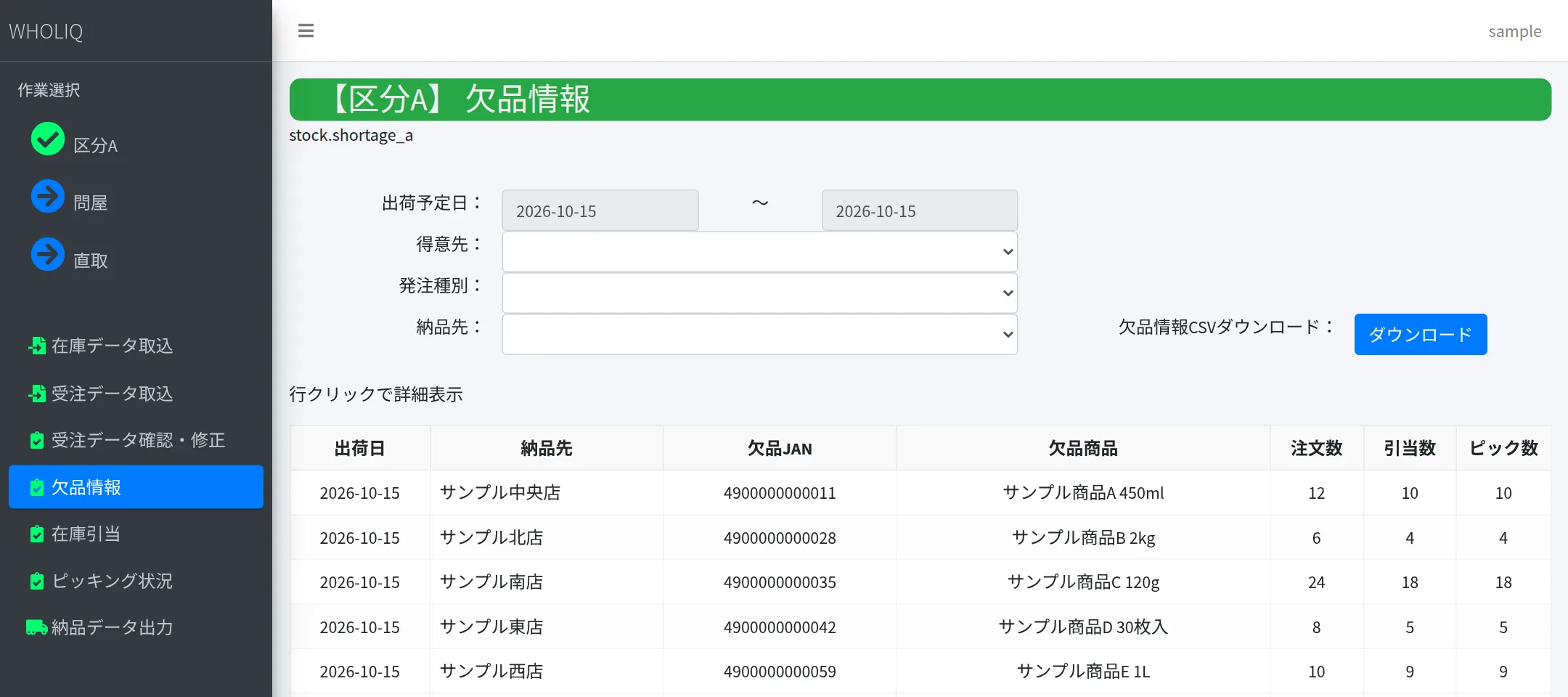
Allocates stock to orders. Whatever is short is gathered into a shortage list that can be exported as CSV.
Picking and inspection on handheld terminals
Picked quantities are registered on handheld terminals. When the same item appears on several lines, the quantity is distributed across them.
Progress at a glance
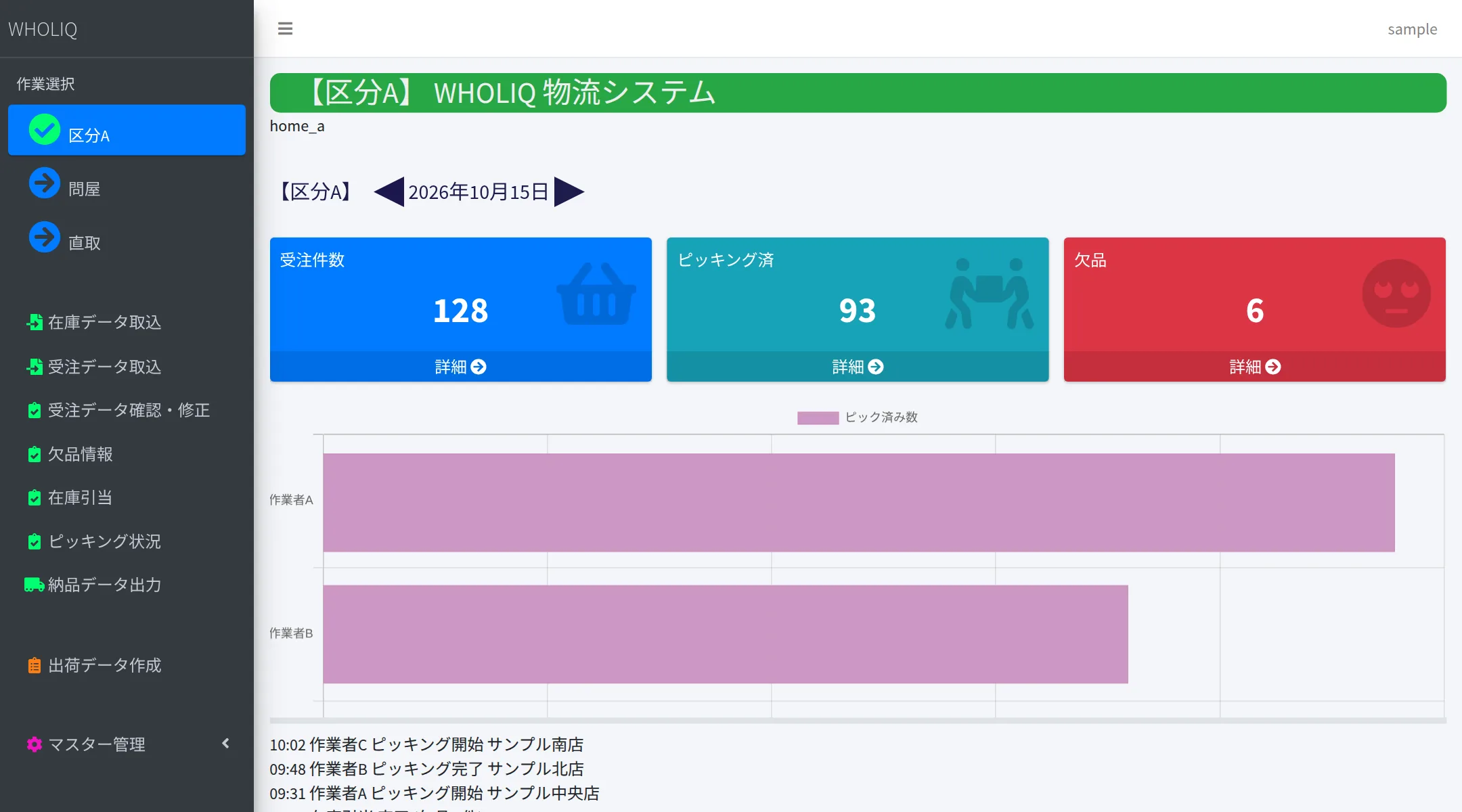
The home screen shows counts of orders, picked, inspected and short items. Picking status can be exported as CSV for a chosen period.
Delivery data output
Outputs delivery data from the picking results and reports shipment results back to core systems.
Master management
Manages masters such as locations, employees, customer groups, item compositions, weights and routes.
Work categories
Screens and functions switch for each kind of work, such as wholesaler and direct. The categories can be rearranged to fit the site.
System overview
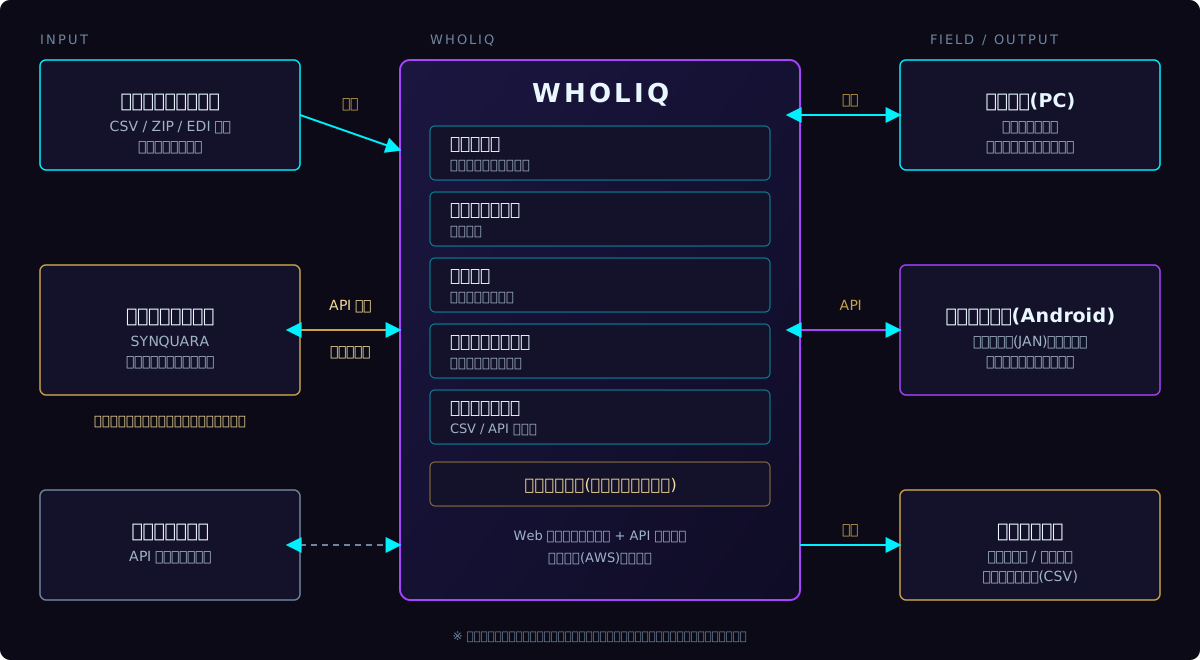
WHOLIQ receives customers' order data and orders from the SYNQUARA sales management system. On the floor, staff pick and inspect with handheld terminals, and the admin screens show progress. Results go back as delivery data files and as results through the API.
Screens
These screens are shown with sample data. They contain no real customer or product data.
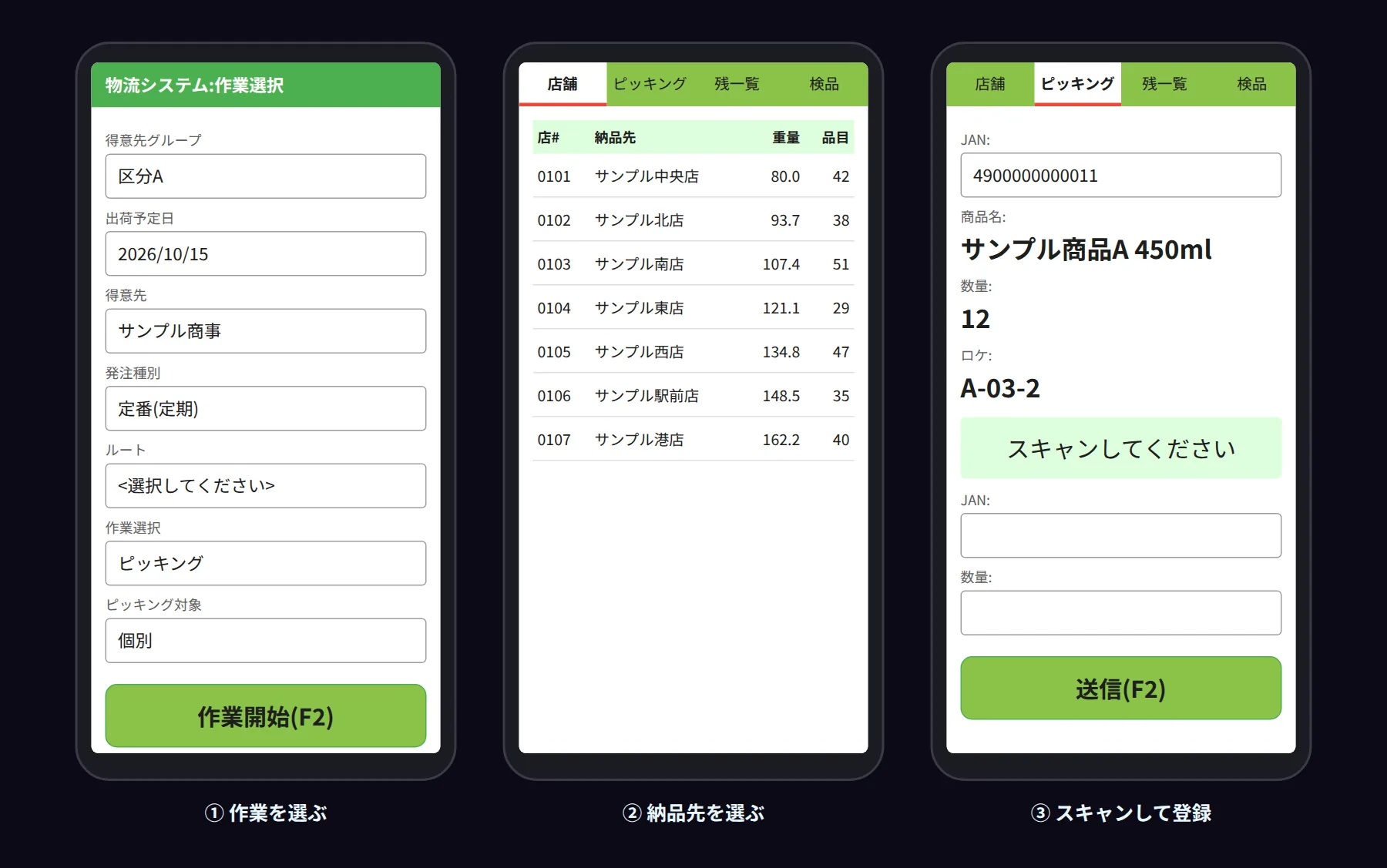
Handheld app
On the floor, staff use a dedicated app on Android handheld terminals. They scan barcodes (JAN) and send picking and inspection results to the server on the spot.
Customized to the site
WHOLIQ is not an off-the-shelf package used as is; it is built to fit the way each site works. The number and content of work categories, the data formats to import and the core systems to connect are decided together with you.
Adoption and customization
We take inquiries such as reviewing current warehouse operations or moving away from paper and spreadsheets. Please start by telling us how your work flows today.