RECEONA
A receipt issuing system. Customers issue their own receipts on their smartphones.
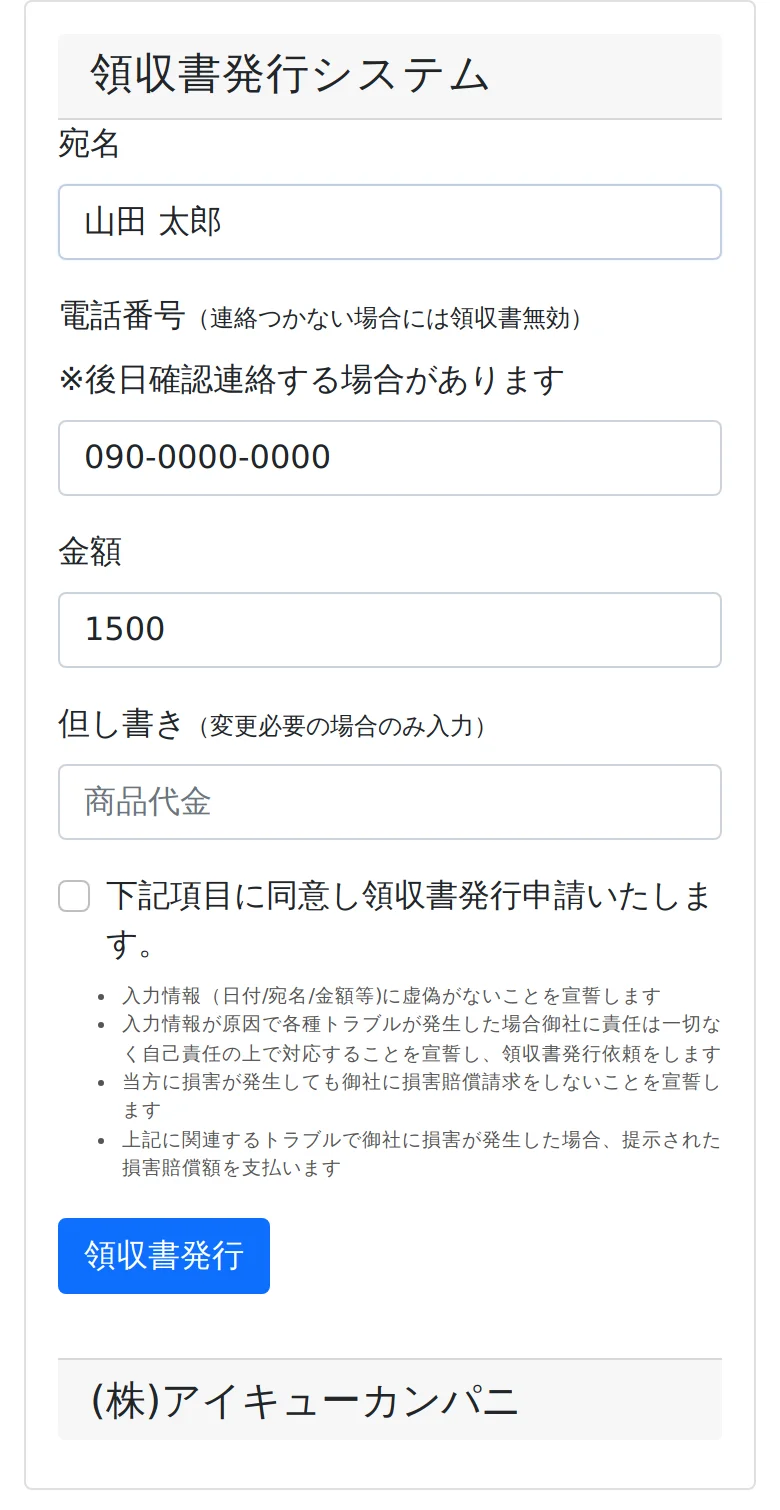
Customers scan the QR code posted in the store, enter the addressee and the amount, and get a receipt as a PDF. Stores can meet requests for receipts even when no staff are present.
How it works
No app to install and no sign-up. Everything happens on the customer's smartphone.
- Scan the QR code
- Enter name and amount
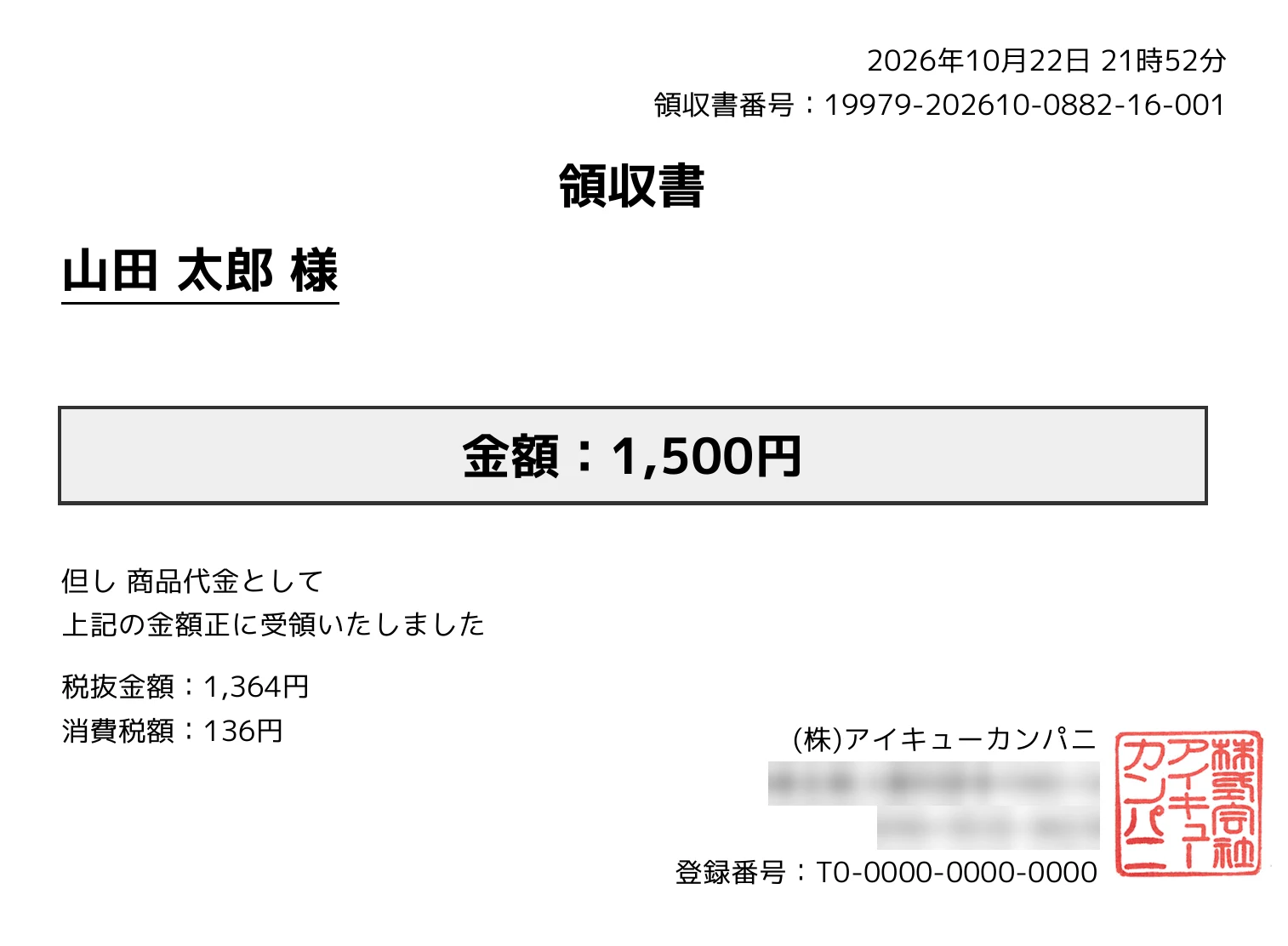
- Issue the PDF receipt
- Save or print
When linked to a payment machine or POS, the input screen opens with the amount already paid filled in, and the customer cannot change it.
Screen
Main features
Issue by QR code
Each store gets its own QR code. Print it and post it in the store to start accepting receipt requests.
Ready for Japan's invoice system
Receipts show the qualified invoice issuer registration number, the consumption tax amount and the purpose of payment. Receipt numbers are assigned automatically.
Receipts with the store's seal
The seal image registered for each store is printed on the receipt. Store name, address and phone number can also be set per store.
Payment machine and POS link
An API receives the store and the amount and returns a one-time URL for issuing the receipt, so receipts match the amount actually paid.
Guards against misuse
Each store has a maximum amount, and the number of receipts per day for the same phone number or name is limited. When a receipt above a set amount is issued, the owner is notified by email.
History and CSV export
The admin screen lets you search issued receipts by store and export them as CSV for a chosen period.
Multiple stores
Register and manage several stores under one account. It works for coin laundries and for retail stores.
Talk to us about adopting it
We are happy to discuss the number of stores and links to your payment machines. Start by telling us how your stores are run.